
What I Learned from Managing Projects with ChatGPT
I have been working with ChatGPT for a long time. I have used it for small tasks, websites and some larger software projects.
During this time, I had very different experiences.
Sometimes ChatGPT saved me hours of work. I explained what I wanted, we worked on it together and the result was exactly what I needed.
But it did not always work like this.
Sometimes I asked for one small change and other parts of my project were changed too. Sometimes we started with one problem, then moved to another idea, then another one. A few hours later I realised that the first problem was still not finished.
Of course, there were times when I became frustrated. I sometimes had to explain the same thing more than once or go back and repair something that was already working before.
After working like this for a long time, I realised that I was also part of the problem.
I knew what I wanted to build, but I did not always manage the work correctly.
This changed the way I use ChatGPT.
I still use it a lot, but now I try to keep one simple rule in my mind:
It is my project. I need to manage it.
Start with a clear target
One of my mistakes was starting with a general request.
For example:
“I want to build a modern restaurant website.”
There is nothing wrong with this sentence, but it is too open for a real project.
What does “modern” mean? Which page are we working on? Can the existing design be changed? What about the mobile version?
Today I would be more specific:
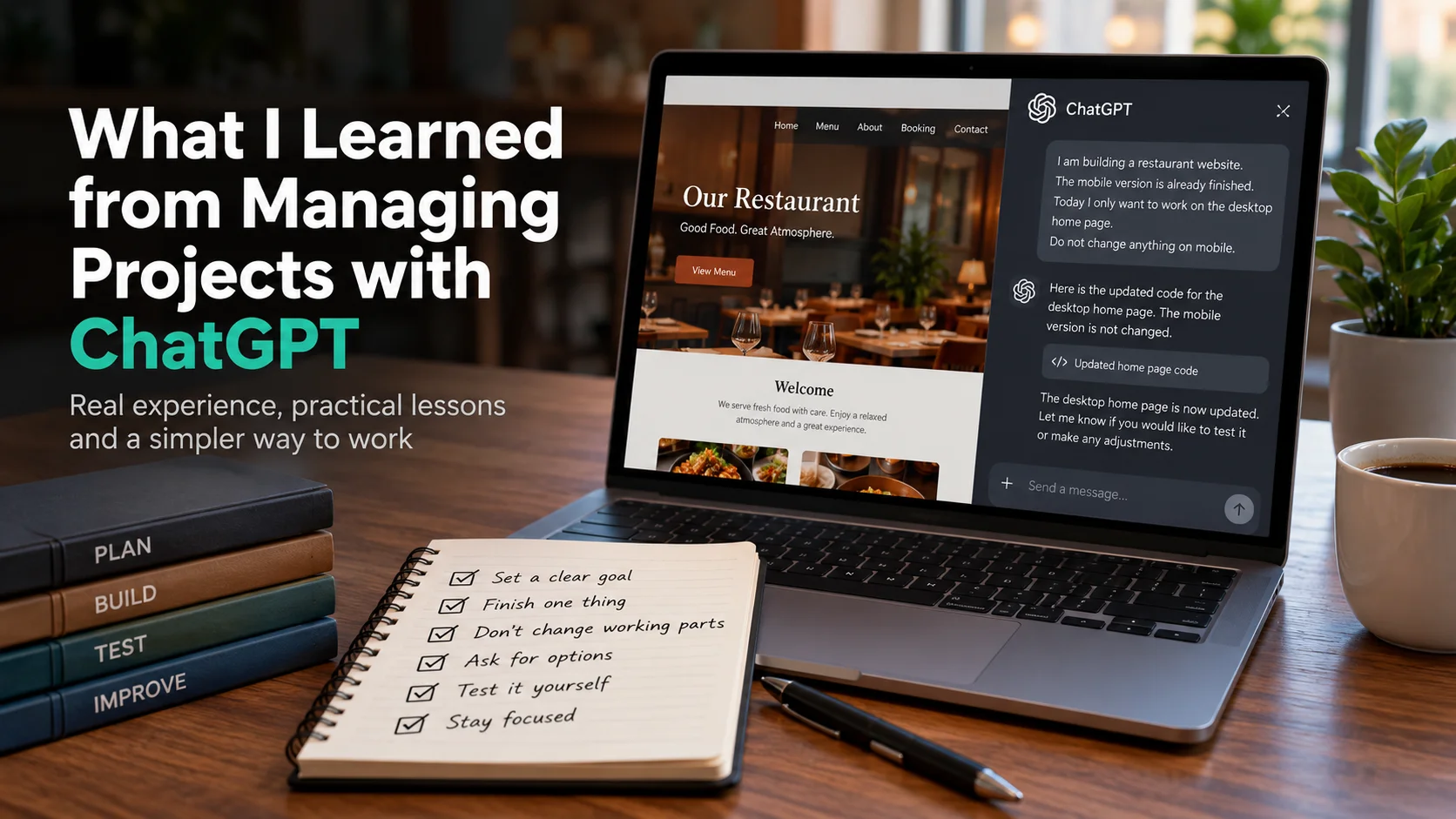
I am building a restaurant website.
The mobile version is already finished.
Today I only want to work on the desktop home page.
Do not change anything on mobile.
This is much clearer.
I started calling this my Goal Lock.
It does not need to be a long document. I just want to know what I am working on today and which parts I do not want to change.
This simple habit could have saved me many hours in some of my projects.
Finish one thing before starting another
This was probably one of my biggest problems.
ChatGPT is fast. You ask something and normally you get an answer in seconds. Because of this, it is very easy to start doing too many things.
I might start by fixing the menu.
While doing that, another idea comes up.
“Maybe we should change this part too.”
That sounds good, so we do it.
Then another idea comes.
After some time, I have changed five things but the menu problem that I started with is still not finished.
I have done this many times.
Now I prefer to finish one part, test it and then move to the next one.
For example, if I am working on the home page, I try to finish the home page first. If a good idea for the booking page comes up, I can keep it for later.
A good idea does not have to be done immediately.
Do not change something that is already working
This became very important for me, especially in software projects.
Imagine that my mobile website is working correctly and I only want to change the desktop version.
If changes are also made to the mobile files, I may solve one problem and create another one.
I learned this from experience.
Because of this, I now use very simple instructions:
“Do not change the mobile version.”
or:
“Only change what is needed for this task.”
If ChatGPT sees another possible improvement, I am happy to hear about it. But I do not always want it to be applied immediately.
There is an important difference between:
“I think we can improve this.”
and:
“I changed this for you.”
I want to make that decision myself.
Ask for options before a big change
Another thing I changed is the way I ask for solutions.
Before, I might say:
“Fix this in the best way.”
I do not use this kind of request very often now.
What is the “best way”?
Maybe one solution is technically better but requires changing many parts of my project. Another solution may be simpler and work perfectly well with what I already have.
So for an important problem, I prefer to ask:
“What are our options? Do not change anything yet.”
Then I can look at the choices.
Maybe there are three possible solutions. We can talk about the advantages and problems of each one and then I can choose.
This takes a little more time at the beginning, but it can save much more time later.
Test it yourself
There is another lesson I learned: a confident answer does not mean the work is finished.
The code can look correct.
The explanation can sound correct.
But I still need to test it.
If we fix a button, I click the button.
If we change the mobile design, I check it on mobile.
If we fix a build error, I run the build again.
If ChatGPT gives me important information, I check the source when necessary.
This sounds obvious, but when you are working quickly it is easy to forget.
I made this mistake too. I sometimes continued to the next task because the solution looked correct. Later I found that something else had stopped working.
Now I prefer to test before moving on.
Know when to stop
For me, this is probably the most important lesson about time.
Working with ChatGPT can make you feel very busy.
There is always another answer, another idea or another possible improvement.
But being busy does not always mean that the project is moving forward.
I have had days when I spent hours working with ChatGPT. We changed many things and discussed many ideas. At the end, I looked at the original task and realised that it was still not complete.
When this happens now, I try to stop.
I ask myself:
“What was I trying to finish today?”
If what I am doing is not helping me finish that task, I go back to the original target.
Sometimes I also tell ChatGPT directly:
“Stop here. We are moving away from the main task. Let’s go back to the last working point.”
I wish I had started doing this earlier.
How I would start a project today
If I started a new ChatGPT project today, I would keep the beginning very simple.
For example:
Project: Restaurant website
Today: Complete the booking form.
Already working: Menu and mobile design. Do not change them.
Finished when: A customer can choose the date, time and number of people and send the form.
Other ideas: Tell me, but do not make the changes yet.
That is enough for me.
I do not think every project needs a very long prompt.
For my way of working, knowing what I want to finish is more useful.
What I learned
I still make mistakes when I work with ChatGPT, and I am sure I will make more.
But I use it differently now.
I do not try to do everything at the same time.
I try not to change parts that are already working.
For important changes, I want to understand the options first.
And most importantly, I try to remember what I wanted to finish when I started.
ChatGPT has saved me a lot of time. It has also helped me learn things that I probably would not have tried on my own.
But I also learned that having a powerful tool does not automatically mean that you will use your time well.
For me, that is the real lesson.
When I start working with ChatGPT now, I try not to ask:
“What else can we do?”
I ask:
“What do I want to finish today?”
That small change has made a big difference in the way I work.
ERSSOFT Limited · ERP & JD Edwards Consulting
← Back to Insights